How to build an email list for your restaurant or pub
Practical ways to grow a restaurant or pub email list: booking forms, guest Wi-Fi, QR codes on tables and receipts, loyalty and events, within UK consent rules.
In short
- Collect email addresses where guests already give you details: the booking form, the guest Wi-Fi sign-in, the till and a QR code on the table.
- Every sign-up point needs an unticked box that names your venue, or a clear opt-out at that moment where the soft opt-in applies.
- Wi-Fi, competition entries and loyalty cards must still work for guests who leave the marketing box unticked.
- Offer something small and real in return, such as a birthday pudding or first pick of Christmas tables, and say how often you'll email.
- Send a welcome email the moment someone signs up, while they still remember doing it.
Build a restaurant email list by asking at the moments guests already hand over their details: when they book, log on to your Wi-Fi, pay, or join a loyalty scheme. Add a QR code to tables and receipts, give people a small, real reason to sign up, and use an unticked box that names your venue. Then send a welcome email straight away.
The rules on what you're allowed to collect, and from whom, are in our GDPR and PECR guide for venues. This post is the practical side, and like that one it's general information, not legal advice.
How to build an email list from your booking system
Your booking form is where guests already type in an email address, so make it count. Open the settings and check four things: is there a marketing box at all, is it unticked by default, does the wording name your venue, and does it say the emails are about events and offers? The ICO's email marketing guidance is clear that pre-ticked boxes don't count as consent. For a venue that takes most of its bookings online, I'd fix this before anything else on the list.
Phone bookings can join the list too. The ICO's own example is a restaurant taking a booking by phone, asking the caller whether they'd like marketing messages about discounts and events, and recording the date and time they said yes. A line for whoever answers the phone:
"Would you like our emails about events and offers? It's about once a month, and you can unsubscribe any time."
Then tick it in the booking notes, with the date, so there's a record.
Bookings made through a third-party app or marketplace are different. If the guest booked on someone else's platform, you didn't collect their details yourself, so you can only add them to your marketing if they gave consent that names your venue. Check what the platform passes on before you import anything.
Guest Wi-Fi sign-in
A Wi-Fi sign-in page (sometimes called a captive portal) asks for an email address before a guest gets online, and in a cafe full of laptops, or a pub on a big match day, that's a lot of addresses. Some Wi-Fi sign-in platforms are built for exactly this; CaptiFi, for example, describes itself as "one platform for guest WiFi, marketing, reviews, rewards, bookings and events".
Whatever you use, set the page up properly:
- Make the marketing box optional and unticked, and let people online whether they tick it or not. The ICO says consent shouldn't be a condition of a service unless it's necessary for that service (ICO), and nobody needs your newsletter to check the football scores.
- Ask for as little as you'll use. Email and first name. Birthday month if you're going to send a birthday treat.
- Put your logo and colours on it, so it looks like yours and not a dodgy hotspot.
- Link to your privacy notice in one short line.
Logging on to free Wi-Fi isn't a purchase, so the soft opt-in doesn't fit here and consent is the only route.
QR codes on tables, menus and receipts
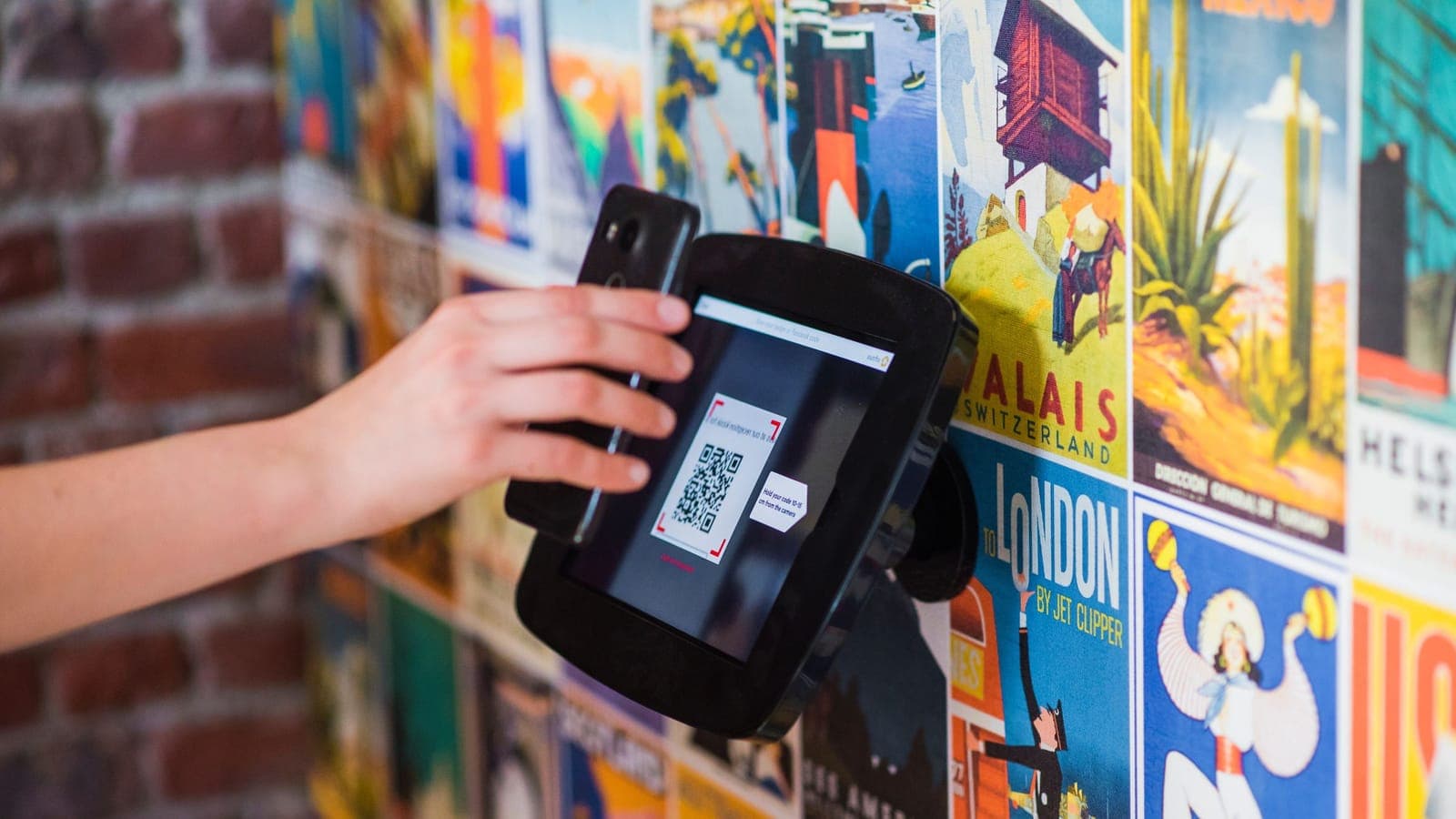
A QR code on the table turns a quiet moment (waiting for food, waiting for the bill) into a sign-up. Point it at a short form from your email platform and keep the card simple: one line on what they'll get, one line on how often.
Setting up a table QR sign-up
- 01Build a short formEmail, first name, optional birthday month and an unticked box naming your venue. Link your privacy notice.
- 02Make and test the QR codePoint it at the form's link, then scan it on an iPhone and an Android phone before you print anything.
- 03Write the cardOne line on what they get, one on how often: 'A birthday pudding on us. One email a month.'
- 04Put it where people waitTables, the bill folder, the bar and event posters. Use a separate link for each spot.
- 05Switch on the welcome emailSet it to send the moment someone signs up, with whatever you promised on the card.
- 06Check after a monthSee which spot brought in sign-ups, move the weak ones and reprint anything that's got tatty.
Where to put them:
- Table talkers or a sticker on the menu
- The back of the bill folder, or printed on the receipt
- On the bar, next to wherever people queue
- On posters for events, linking to a form that also mentions the event
Use a different link for each spot (a separate form, or a tagged link) and after a month you'll know whether the tables or the receipts are doing the work. I'd guess the tables, but that's what the test is for.
If your till can email receipts, that's another route. A receipt is part of a sale, so the soft opt-in can apply, but only if the opt-out is offered before the address is taken. The ICO says an opt-out that first appears in the confirmation email "is not sufficient".
And don't forget the people who already follow you. Put the sign-up link in your Instagram bio and mention it in a post once a month. If Venuesmith is lining up your Instagram and Facebook posts, add a monthly sign-up reminder to the plan.
Loyalty schemes, events and competitions
All three bring in plenty of addresses, and each comes with a catch.
Loyalty schemes
A digital stamp card or loyalty app usually needs an email address or phone number to work, which makes it a natural place to ask about marketing. Rewards are fine: the ICO's consent guidance says a loyalty scheme with money-off vouchers gives "clearly some incentive to consent to marketing" without being unfair to people who don't join. Still, keep the marketing tick separate from joining the scheme, so a regular can collect stamps without getting the newsletter.
Ticketed events
Someone buying a ticket for your quiz final, tasting night or New Year's Eve party is buying from you, so a clear opt-out at checkout lets the soft opt-in cover later emails about similar events. If tickets go through a ticketing platform, check whose customer the buyer is and what marketing choice the checkout offered. When in doubt, add your own unticked box. Our guide to promoting pub events covers getting the tickets sold in the first place.
Competitions
"Win a Christmas party for ten" will fill a list fast in October. But an entry only gives you permission to run the draw: the ICO says consent for a prize draw "can't be carried over for anything else" (ICO). Add a separate, unticked box for your emails, and let people enter without ticking it. Fewer addresses, but every one of them chose to hear from you, which matters more when the Christmas party bookings emails start going out.
What should you offer in return for an email address?
Something small and real that brings them back in. "Sign up to our newsletter" on its own gives nobody a reason to bother.
What to offer for an email address
Gives nobody a reason
- Sign up to our newsletter
- 10% off every visit, forever
- A prize draw with no closing date
- No word on how often you'll email
Worth signing up for
- A birthday pudding on us
- First pick of Christmas and New Year's Eve tables
- Event tickets before they go on general sale
- One email a month, unsubscribe any time
The best offers cost you little and bring people in: a birthday pudding, a free coffee on the next visit, first pick of Christmas or New Year's Eve tables, early access to tickets for events that sell out. I'd be careful with standing discounts. Ten per cent off every visit teaches people to wait for the voucher, and it eats into margin on visits they'd have made anyway.
Be honest about frequency, too. In my view "one email a month, unsubscribe any time" on the form does more for sign-ups than any freebie, because being spammed is the obvious worry.
How to write a sign-up form guests trust
Keep it short and make it obviously yours. A good form has:
- An email field, a first name field and (optional) birthday month. Nothing else.
- An unticked box with plain wording: "Email me about events, new menus and offers from Larkspur Coffee House. About once a month."
- One line linking to your privacy notice. UK GDPR requires you to tell people, when you collect their details, what you'll use them for, how long you'll keep them and who you'll share them with (ICO).
- A record of when and where each person signed up. If the form lives in your email platform, check it stores this.
Some platforms offer double opt-in, where a new subscriber has to click a link in a confirmation email before they're added. It catches typos and fake addresses; the trade-off is that some people never click. I'd switch it on for QR and Wi-Fi forms, where people are typing on a phone in a hurry, and leave it off for staff-entered phone bookings.
What happens after someone signs up?
Send the welcome email at once, automatically. It's the email people are most likely to remember asking for, so use it to deliver whatever you promised, say what they'll get and how often, and point them at one thing to do next.
Thanks for signing up
Here's the slice of cake we promised. Show this email at the counter any time in the next 30 days and pick whatever's on the stand.
From now on you'll get one email a month: new bakes, the odd supper club night and any changes to our opening hours.
If that's ever too much, there's an unsubscribe link at the bottom of every email.
See this month's menuAfter that, get your first regular email out within a few weeks, so the list doesn't go cold before you've used it. Our guide to email marketing for pubs and restaurants covers what to send and how often.
Keep the list clean as it grows. Remove addresses that bounce, honour unsubscribes straight away (and keep them on a suppression list so they don't sneak back in through the Wi-Fi), and once a year look at who hasn't clicked anything in a long time. Send them one last "still want these?" email, then take off anyone who doesn't respond. Judge that on clicks, not opens, because Apple's Mail Privacy Protection loads emails in the background and makes plenty of people look like readers when they aren't (Apple).
Frequently asked questions
Can I make guests give their email address to use the Wi-Fi?
You can ask for details to provide the Wi-Fi, but you can't make marketing consent the price of getting online. The ICO says consent shouldn't be a condition of a service unless it's necessary for that service, and marketing isn't necessary for Wi-Fi. Keep the marketing box optional and unticked, and only email the people who ticked it.
How many subscribers does a restaurant email list need?
There's no minimum. A list of a few hundred locals who've eaten with you is worth emailing every month, because they already know where you are and what you serve, and what counts is that everyone on it chose to join. Start emailing as soon as you have a list at all, so new subscribers hear from you while they still remember signing up.
Can staff collect email addresses at the table?
Yes, as long as the guest gets a genuine choice and you keep a record. The ICO says staff collecting details verbally should specifically offer a choice about marketing, and its restaurant example records the date and time a caller agreed. A tablet with your sign-up form works better than a notepad, because it captures the wording, time and source for you.
Can I add email addresses from my phone contacts or old receipts?
Only if those people agreed to marketing emails from your venue, or gave their address during a purchase with a clear opt-out offered at the time. Contacts saved for other reasons (friends, people who emailed a question, old party bookings with no opt-out offered) don't qualify. If you can't show how someone agreed, leave them off and invite them to sign up next time they're in.
Sources
- How do we comply with the PECR electronic mail marketing rules?, ICO, checked October 2026
- What is valid consent?, ICO, checked October 2026
- Marketing and data protection in detail, ICO, checked October 2026
- Right to be informed, ICO, checked October 2026
- Mail Privacy Protection and privacy, Apple, checked October 2026
- CaptiFi, CaptiFi, checked October 2026